Case Study — Application Design
Enbill — Merchant App
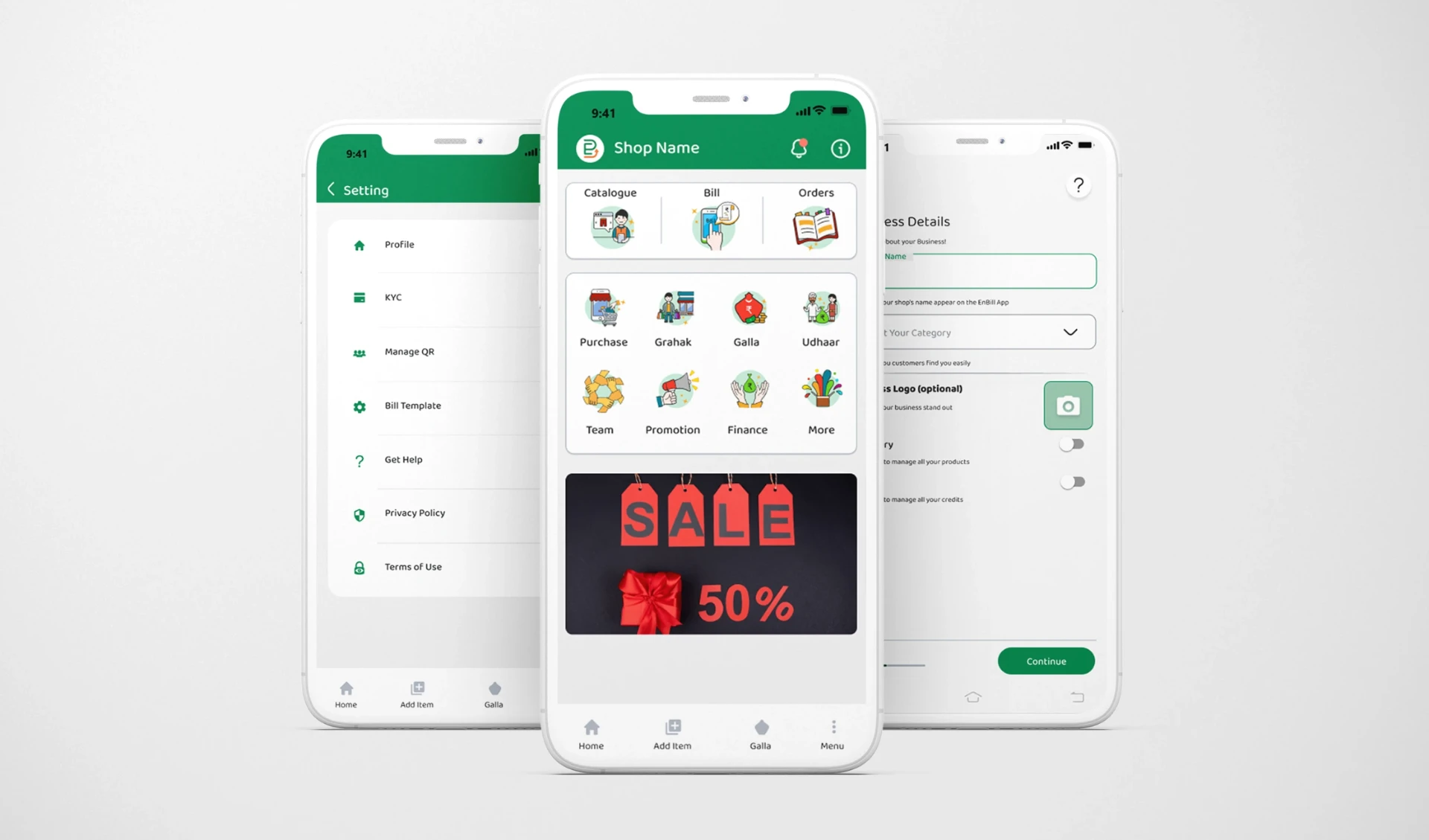
A mobile-first business app for India's small and medium merchants — billing, inventory, grahak management, udhaar tracking and promotions in one Android platform.
01 — The Problem
The dukaandar runs on paper
Handwritten bills, loose udhaar records, phone contacts and mental inventory — spread across one busy counter.
No centralized billing
Bills are handwritten or absent entirely, making GST compliance difficult.
Udhaar is error-prone
Credit for regular customers lives in notebooks — disputes and lost revenue follow.
Inventory is invisible
Stock levels, out-of-stock items and reorder points are managed by memory.
Informal relationships
No structured way to store customer data, history or buying patterns.
Word-of-mouth promotion
No tooling to reach customers over SMS or WhatsApp with offers.
Fragmented workflows
Paper, phone contacts and mental math spread across the counter.
02 — Target Users
Built in the language of the shop
The primary user is the Indian merchant running a small or medium retail or service business. Salespersons and team members can be added to the same shop account.
Dukaan
Shop
Grahak
Customer
Udhaar
Credit / debt
Hisaab
Accounts
Gullak
Savings
03 — High-Fidelity Screens
The core flows
Onboarding and KYC, the dashboard, billing, bookings and payment scheduling — the screens a merchant touches every single day.
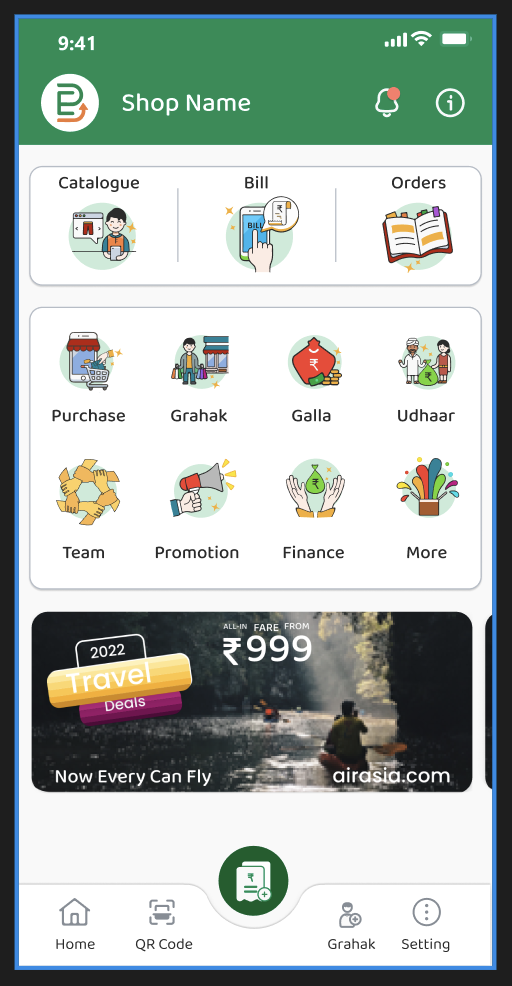
Dashboard
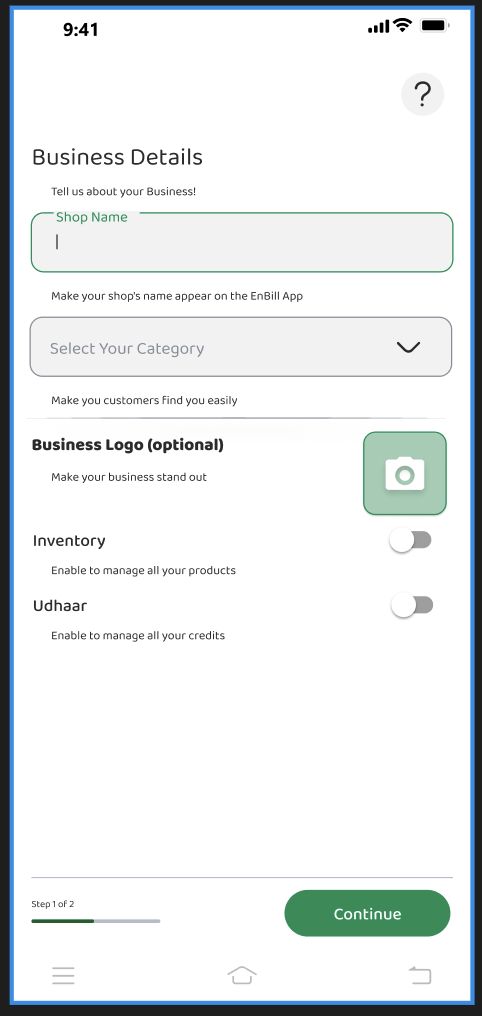
Business Details
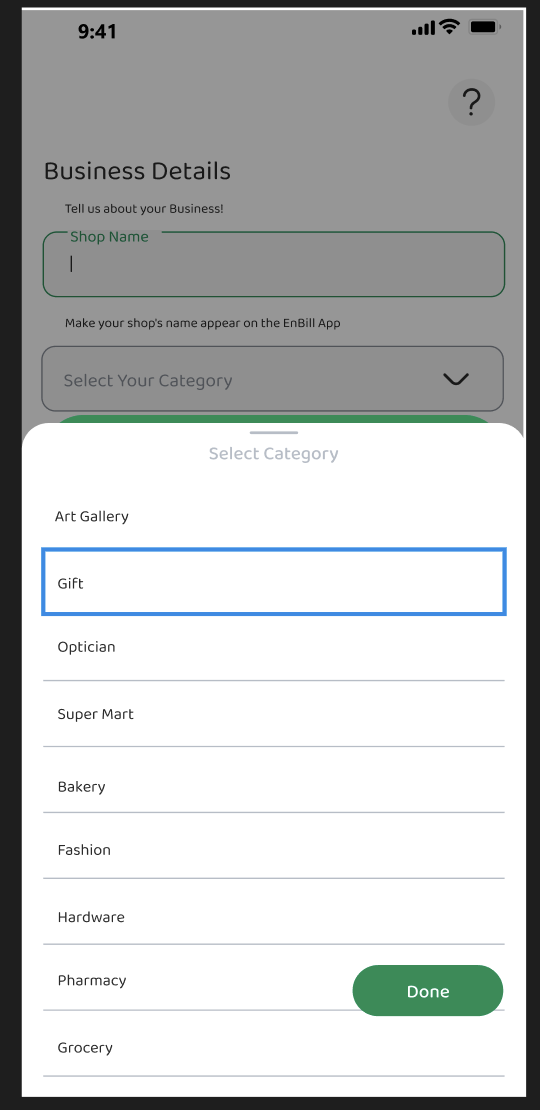
Category Picker
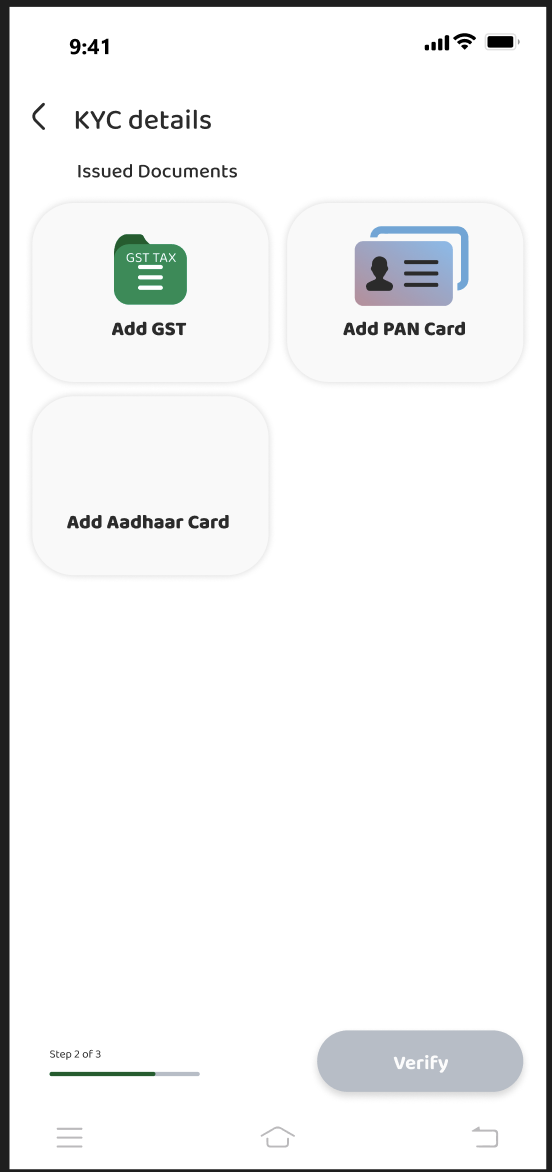
KYC Details
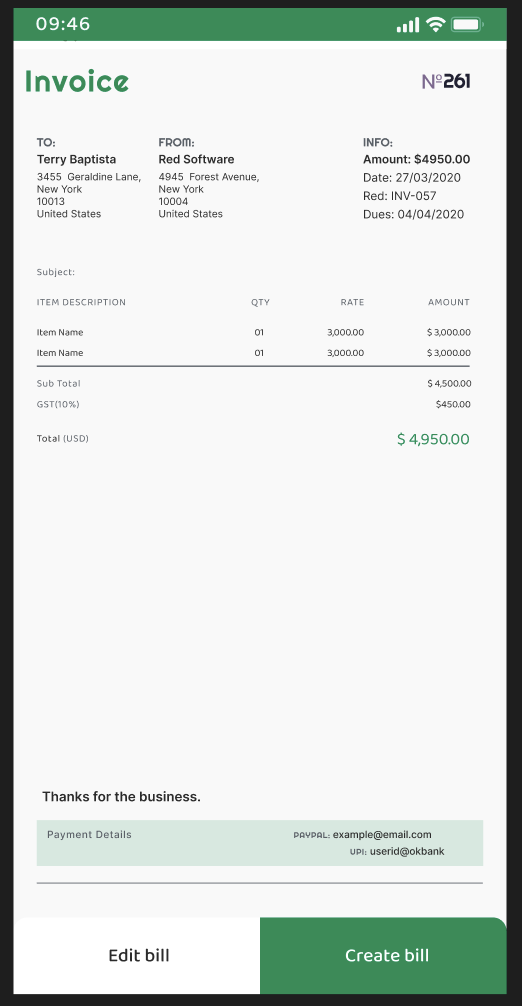
Invoice
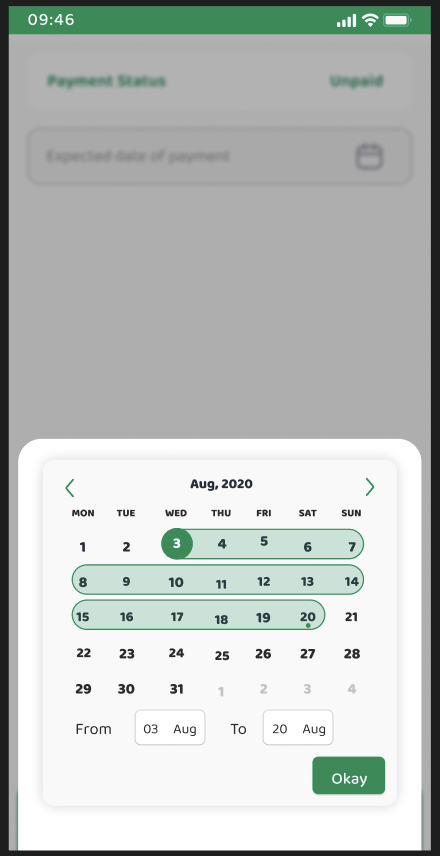
Payment Calendar
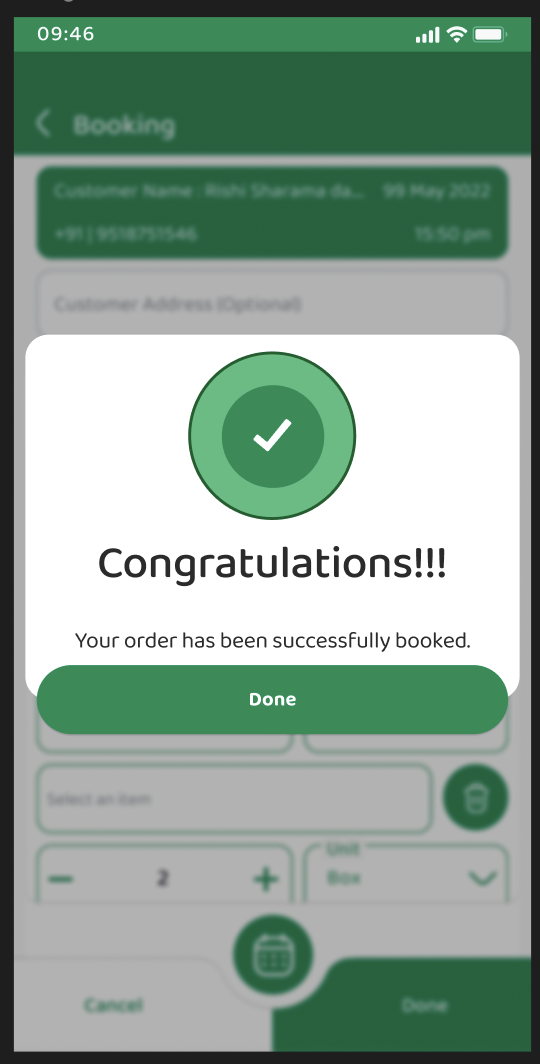
Booking Confirmed
04 — Design Process
Flows, research notes, components
A full journey map from onboarding to granular actions, annotated with usability findings and backed by a reusable component library.
UX research notes
- No left & right scroll — welcome message on homescreen
- Can't locate profile easily — back takes you home, not to the hamburger menu
- No. of steps for the user can be reduced
- Clickable buttons instead of sliding buttons
- Confusion between Add or Continue
- Where to add UPI ID
What changed
- Back navigation returns to the previous menu, not the homescreen
- Profile surfaced from the hamburger menu and the dashboard
- Step count reduced across billing and onboarding
- Sliding controls replaced with explicit tap targets
- Ambiguous Add vs Continue CTAs rewritten
- UPI ID given a clear home inside Settings
05 — Feature Set
Twelve modules, one counter
01
Onboarding & KYC
- · Mobile number + OTP
- · Shop, GST, PAN, Aadhaar
- · Map-based shop address
- · Profile completion meter
02
Dashboard
- · Revenue at a glance
- · Quick-access grid
- · Home / Add Item / Gullak / Menu
- · Notifications + scanner
03
Billing
- · Customer → items → discount → payment
- · Cash, Card, Online, Udhaar
- · Round off & change calc
- · Share and download bill
04
Catalogue
- · Stock status & active toggle
- · Item detail with 4 images
- · Inventory + selling records
- · Barcode generation
05
Grahak
- · Add or import contacts
- · Search & edit customers
- · Make bill from profile
- · Address and GST fields
06
Booking
- · New / Confirmed / History
- · Online & offline toggle
- · Itemised GST bill
- · Calendar range picker
07
Udhaar
- · Total credit overview
- · Customer-wise ledger
- · Expected return dates
- · Paid / Pending filters
08
Passbook & Cashbook
- · Cr/Dr transaction detail
- · Income, purchase, balance
- · 7 day / month / year filters
- · Reference & bill numbers
09
Promotions
- · SMS and WhatsApp sends
- · Variable templates
- · Contact selection
- · Sent / balance tracking
10
Team
- · Add members via OTP
- · Salesperson verification
- · Remove access
- · Shared shop account
11
Settings & Support
- · Bill template & UPI ID
- · Manage QR
- · FAQs and raise a query
- · Ticket history
12
QR & Payments
- · Merchant QR display
- · Scan & Pay via UPI
- · UPI ID setup
- · shopname@enbill handle
06 — Navigation Architecture
A hybrid pattern
Bottom bar for daily actions, hamburger for account settings, tabs inside modules, and a floating action button for instant billing.
Bottom nav
Home · Add Item · Gullak · Menu
Hamburger
Settings · Profile · KYC · Manage QR · Bill Template · Help
Module tabs
Dukaan / Grahak / Hisaab · Passbook / Udhaars / Cashbook / Bills
FAB
Quick bill creation from any screen
07 — Scope & Scale
The file behind the product
21
Figma pages
25+
Reusable components
12
Feature modules
1
Custom merchant icon set
08 — Conclusion
A digital transformation tool for the corner shop
Enbill covers the full lifecycle of merchant operations — onboarding and KYC through daily billing, inventory, credit tracking and customer engagement.
Bill it. Track it. Grow the dukaan.
More projects →